
Choose Reader or Viewer
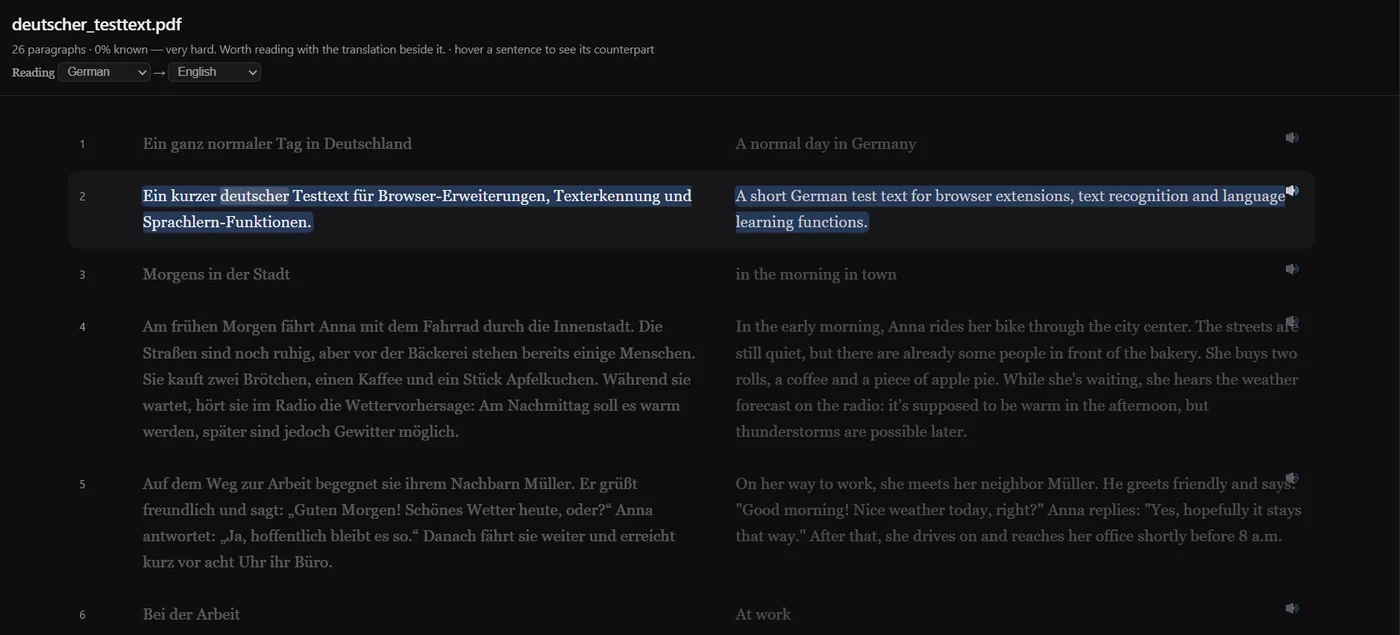
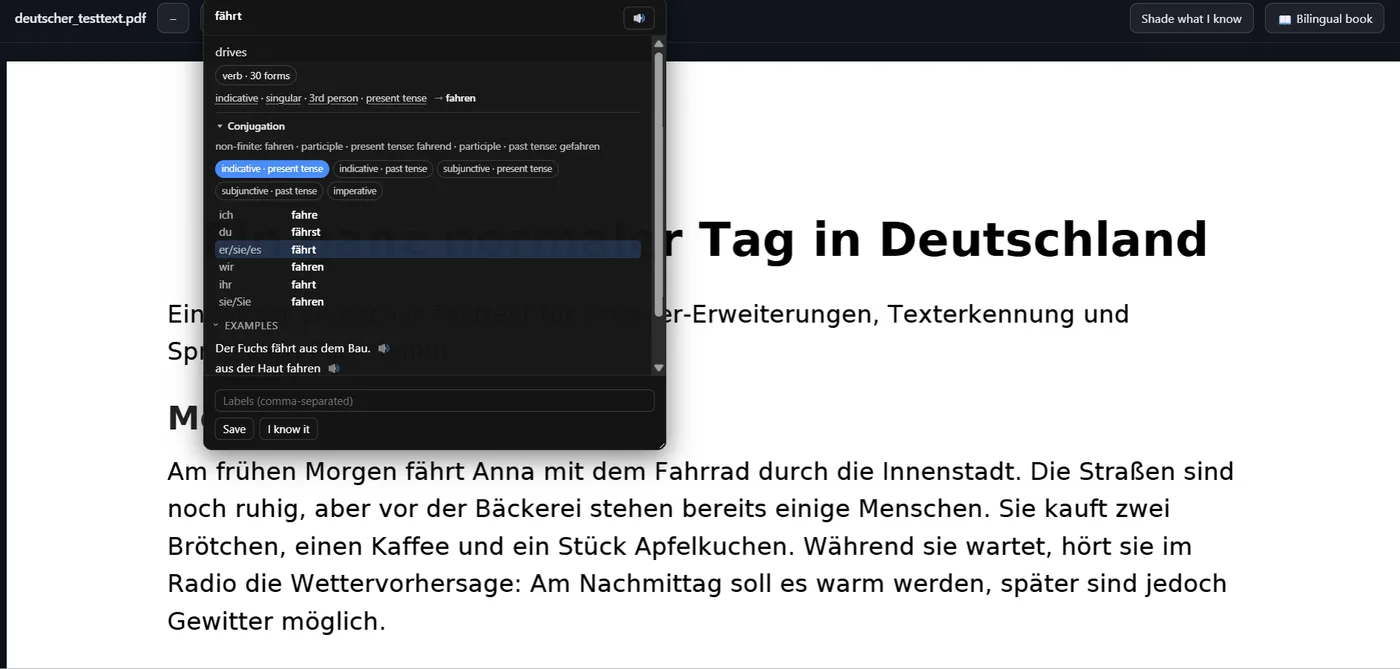
NoaLingua has two PDF modes because one mode cannot satisfy every document. Reader creates a bilingual book: original and translation in aligned columns. Viewer preserves the PDF layout and adds a clickable text layer on top.
Create the bilingual view
Open a PDF in Chrome and choose Make a bilingual book. NoaLingua extracts text, translates in batches and starts showing the document before every paragraph is finished. Hovering a sentence highlights its counterpart in the other column.
Use YouTube transcripts
For YouTube, the transcript panel can export a bilingual PDF of the video script. It translates every available sentence, builds the PDF and clearly reports if some lines were not translated.
Know the limits
The manual gives practical limits: PDF Reader up to 50 pages, own text import up to 400,000 characters and context-menu bilingual book selection up to 120,000 characters. Those limits keep the feature honest on large files.
Try a short PDF first
Open a small PDF in Chrome and compare Reader versus Viewer.