
YouTube dual subtitles
Watch YouTube with dual subtitles
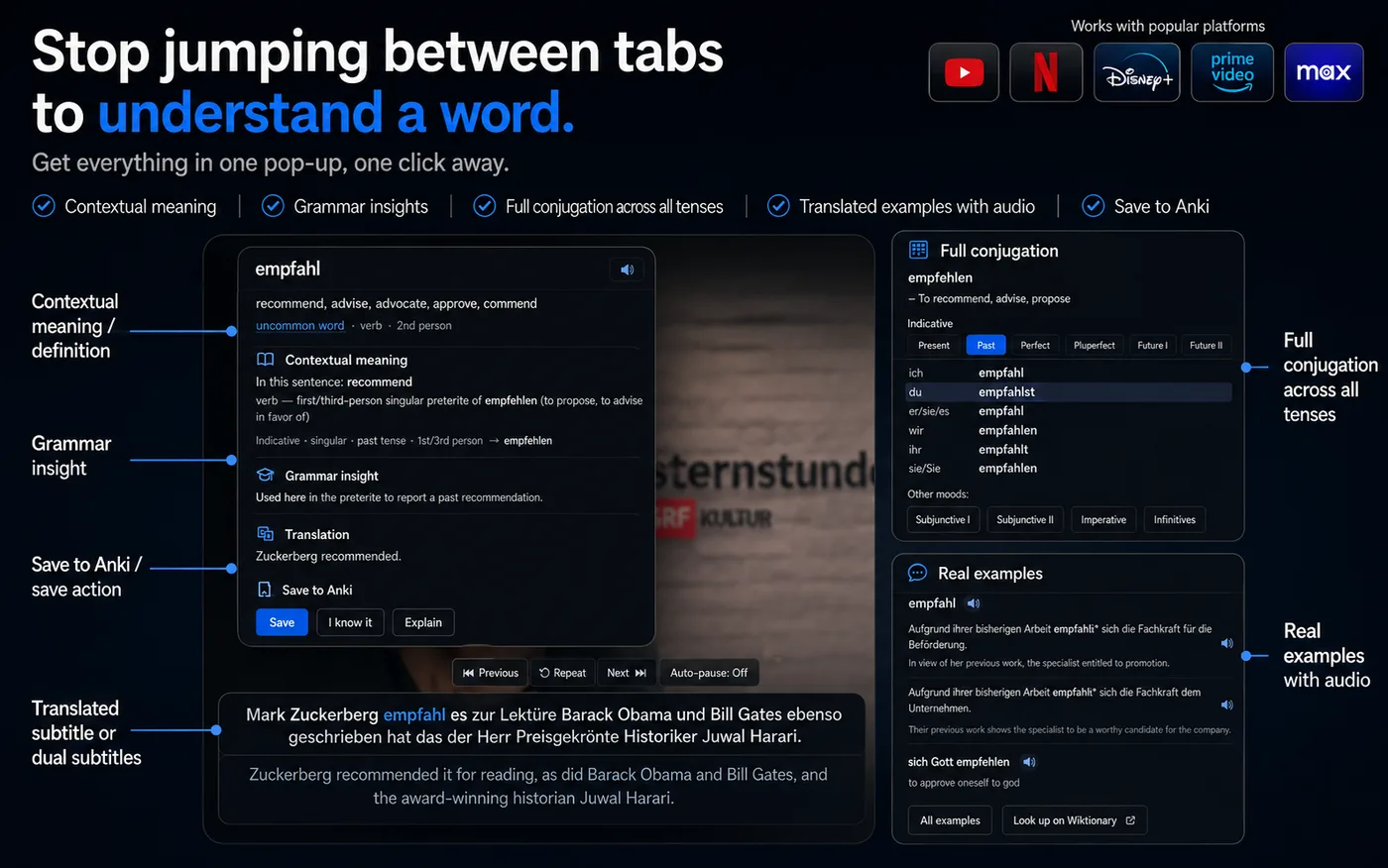
NoaLingua shows the original subtitle and your translation together, then turns every word and sentence into something you can click, replay, save and practise.
No account. No analytics. The free plan lets you try every feature.
Quick answer
Watch YouTube with dual subtitles
NoaLingua is built for learners who already use YouTube for comprehensible input but keep pausing, opening translator tabs and losing the sentence. It keeps the video, subtitle, word lookup and review loop in one place.
Setup
How to use it
- Install NoaLingua and choose the language you are learning and the language to translate to.
- Open a YouTube video that has captions and turn on YouTube captions with the CC button.
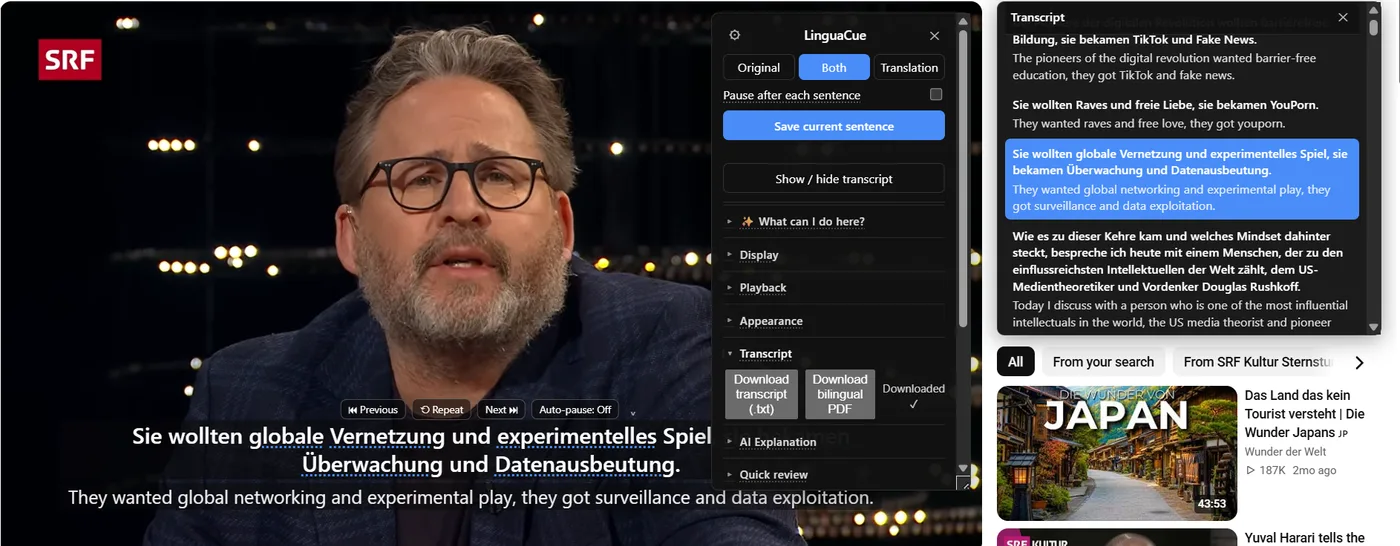
- Use the subtitle controls for previous, repeat, next and auto-pause; click any word in the original line to save or inspect it.
Subtitle workflow
The subtitle box follows sentences, not random caption fragments.
On YouTube, NoaLingua can fetch the transcript once per video, split subtitles into real sentences and translate ahead. That is why previous, next and repeat can jump to sentence boundaries instead of approximate caption blocks.
If captions are missing or YouTube auto-translate is causing trouble, NoaLingua shows a plain message instead of silently failing.
Clickable words
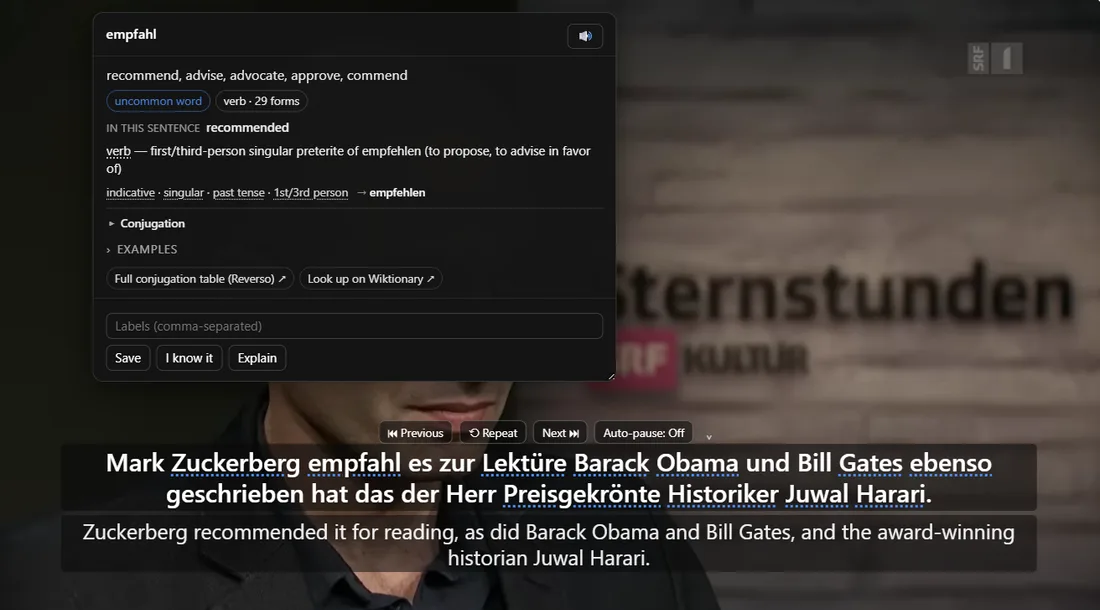
A clicked word gets the sentence around it.
The word popup uses the current sentence, translation, source title and video time as context. It can show contextual meaning, grammar, conjugation or declension data, examples and pronunciation controls.
Save is immediate. Details that still need a downloaded pack or a slow source can be filled in later.
Practice
You can stop after every sentence, replay it, or shadow it.
Auto-pause holds the sentence you just heard. Repeat plays the line again. Slow replay and repeat count help when a native-speed line is too fast. Shadowing turns the video into listen-repeat practice without manually pausing every few seconds.
FAQ
Common questions
Does it work when a YouTube video has no captions?
NoaLingua is designed around captions the site already provides. The manual describes an optional on-device speech recognition flow for videos without captions, but it is clearly treated as machine transcription, not original subtitles.
Does NoaLingua send the subtitle text to a server?
By default it uses on-device or YouTube-native translation paths where available. Optional cloud translation can send the sentence being translated, but only when that setting is chosen.
Can I export a whole YouTube video?
For YouTube videos with a fetched transcript, NoaLingua can export the transcript as .txt and build a bilingual PDF. If not every line translates, the export says how much succeeded.