
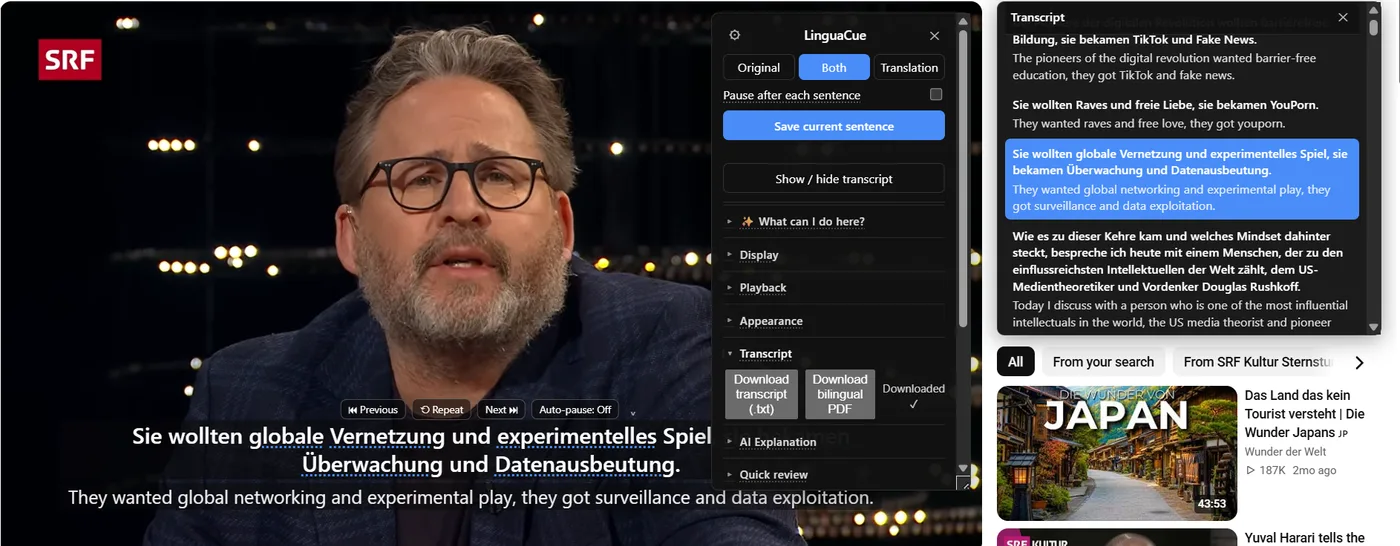
Choose videos with usable captions
The best YouTube study session starts before you press play. Pick a video that has real captions or at least captions good enough to read. NoaLingua can help with difficult lines, but it is not magic: a video with no captions is a different problem from a captioned video.
If the video is too easy, hide the translation until you need it. If it is too hard, use auto-pause or the transcript panel and treat it like intensive reading.
Watch in passes
First pass: watch for meaning. Use dual subtitles when you need them, but do not click every unknown word. Second pass: replay only the lines that matter. NoaLingua sentence controls are useful here because repeat and previous jump by subtitle sentence rather than vague time guesses.
Save vocabulary in context
Save words that unlock a sentence you actually cared about. A NoaLingua card can keep the original sentence, translation, source title, URL and time. That context matters more than a bare dictionary entry.
Add shadowing
Once a line is comprehensible, repeat it aloud. Whole-video shadowing is good for flow. One-sentence shadowing is better for a line you keep missing. Say It Back can add feedback when Chrome speech recognition supports the language, but shadowing itself does not depend on speech recognition.
Review later
The point is not to turn the entire video into flashcards. Save a small number of useful words and let the Learn tab bring them back through SRS and games. Export to Anki or CSV if Anki is already part of your system.
Use YouTube as your next lesson
Open a captioned video, save five useful words and review them tomorrow.