
Bilingual PDF translator
Turn a PDF into a bilingual book
NoaLingua can open PDFs as aligned original and translation columns, or preserve the original PDF layout while making words clickable.
No account. No analytics. The free plan lets you try every feature.
Quick answer
Turn a PDF into a bilingual book
This is the reading side of NoaLingua: long-form text becomes parallel reading, word lookup, listening and saved vocabulary without leaving the browser.
Setup
How to use it
- Open a PDF in Chrome. NoaLingua adds Make a bilingual book and Open in NoaLingua buttons when it can read the document.
- Choose bilingual book for aligned original and translated paragraphs, or viewer for the original page layout with clickable text.
- Click words, listen to sentences and save vocabulary the same way you would from video subtitles.
Reader
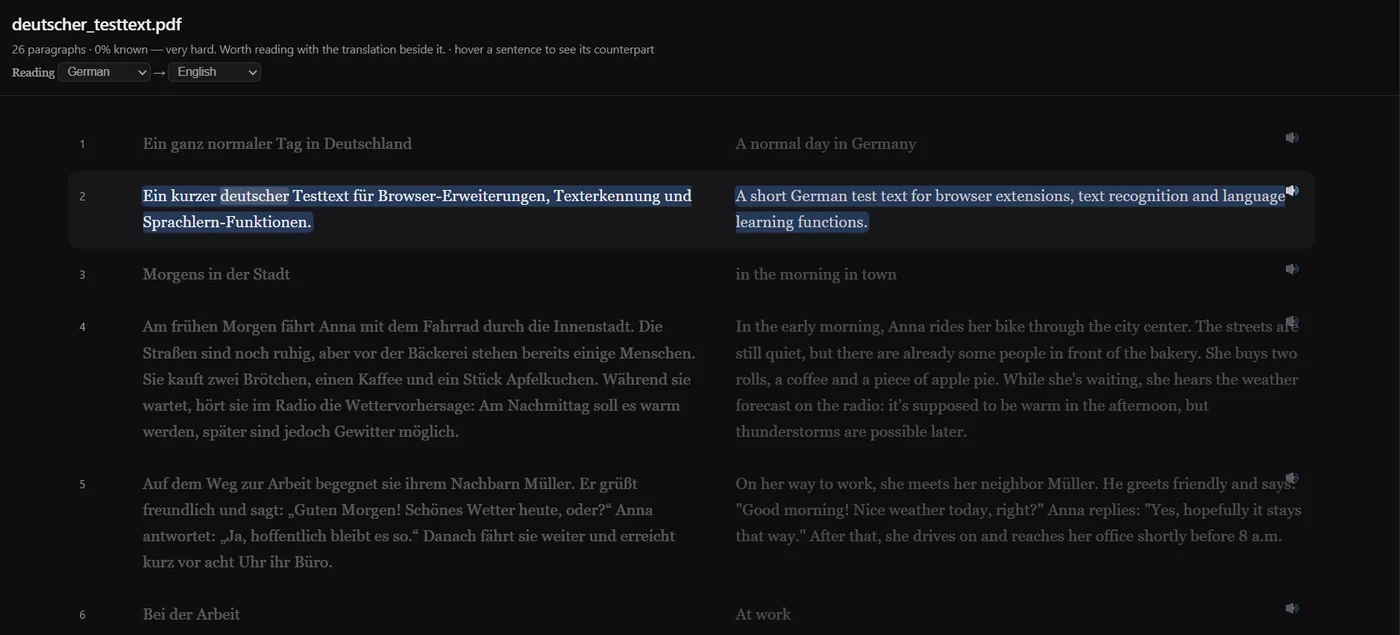
The bilingual reader aligns original and translation.
The Reader can take PDF text, selected text from the context menu, pasted text or supported text files. Paragraphs are aligned in two columns, hover highlights the corresponding sentence, and translation happens in batches so reading can start before the whole document is done.
Viewer
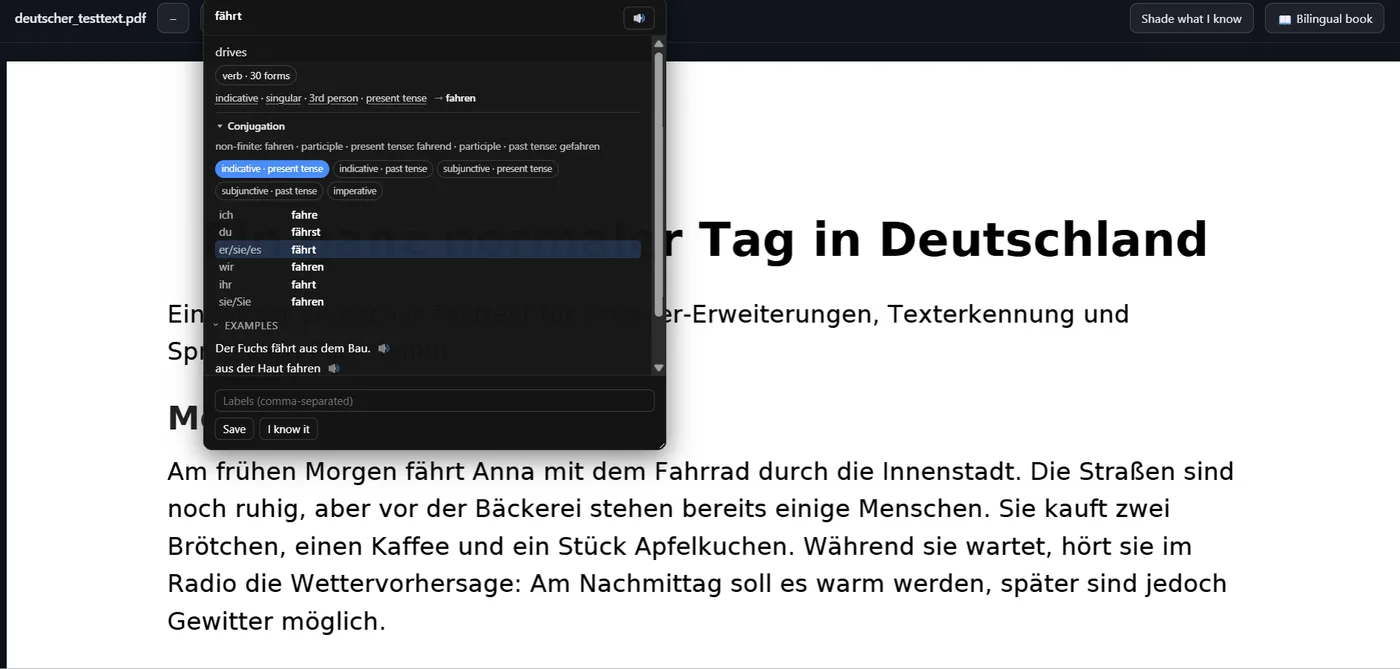
The PDF viewer keeps the original page intact.
For documents where layout matters, NoaLingua uses pdf.js to render the page as it is, then overlays a transparent text layer so words can still be clicked, hovered and saved.
Limits
The documented limits are visible rather than hidden.
The manual lists PDF reader input up to 50 pages, imported text up to 400,000 characters, and context-menu bilingual book selections up to 120,000 characters. These limits keep long documents from pretending to be instant.
FAQ
Common questions
Does NoaLingua replace my PDF?
No. It opens a reading view in the extension. The original file is not modified.
Why does Chrome ask for permission?
The extension requests access only when you ask it to read that PDF. Many document servers do not allow cross-origin reads without an explicit browser permission.