
Netflix dual subtitles
Learn languages on Netflix with dual subtitles
NoaLingua can read Netflix subtitles as they appear, add a translated line, and keep word lookup, saving, replay and shadowing available while you watch.
No account. No analytics. The free plan lets you try every feature.
Quick answer
Learn languages on Netflix with dual subtitles
Netflix support is intentionally described more narrowly than YouTube support. Netflix does not expose the full subtitle file to NoaLingua, so this page does not promise full-film transcript export or translating ahead.
Setup
How to use it
- Install NoaLingua and enable it for Netflix in the extension popup if needed.
- Open Netflix, start the title, and turn on subtitles from Netflix Audio & Subtitles.
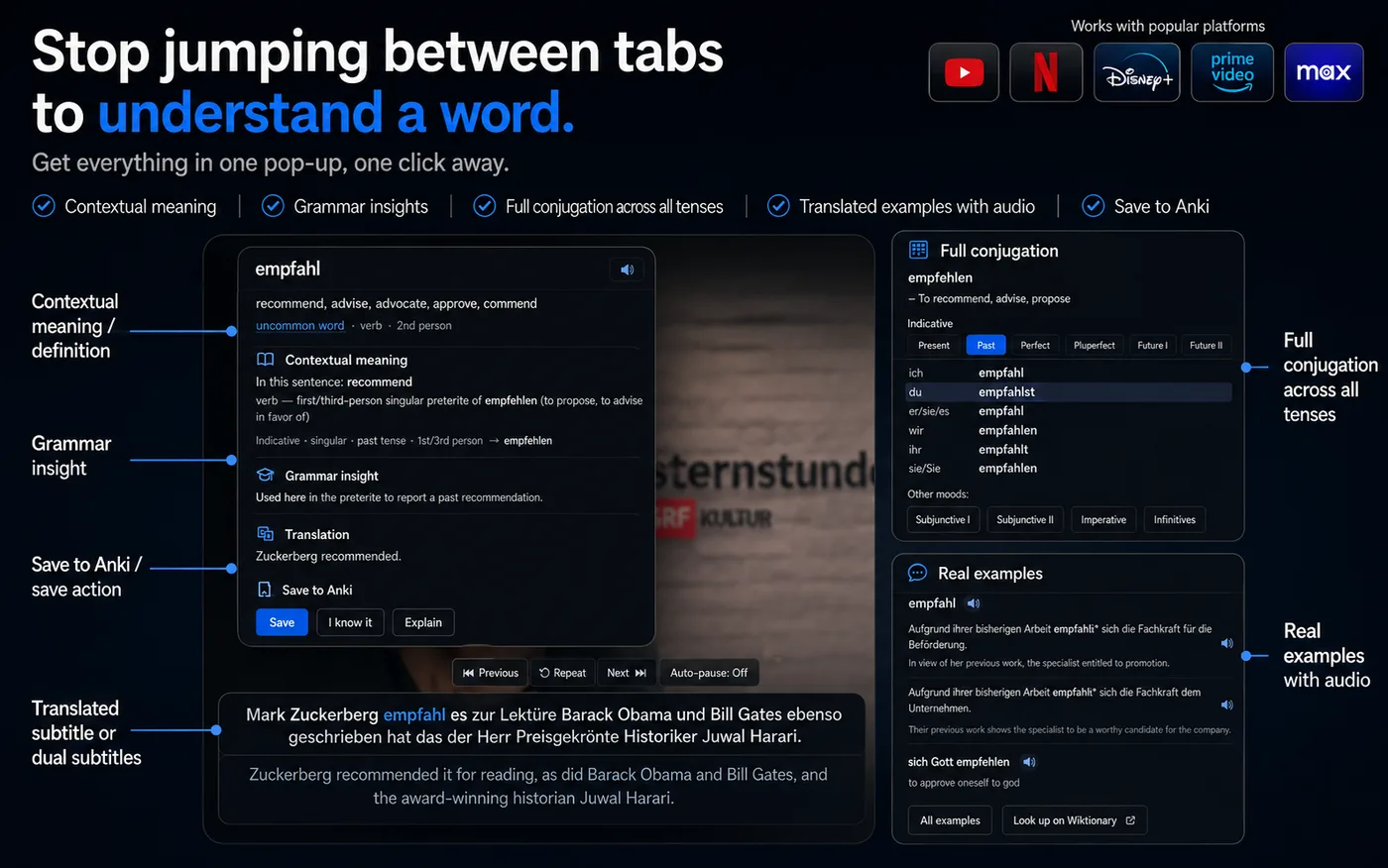
- Use the NoaLingua subtitle box for translation, word click, saving, repeat, auto-pause and shadowing over the lines that appear.
What works
The learning tools stay the same.
The manual verifies that Netflix uses the same core word popup and deck: click a word, inspect its meaning and grammar, save it, and review it later.
Auto-pause, repeat, shadowing and transcript of what has been seen are also part of the Netflix flow.
Honest limits
Netflix is not YouTube, so the page does not pretend it is.
Netflix does not provide a full transcript file to the extension. That means no full-film bilingual PDF and no translating many future lines ahead. Translation uses the browser on-device model or the optional cloud source.
FAQ
Common questions
Why is there no full Netflix bilingual PDF claim here?
Because the manual says Netflix does not expose the full subtitle file. NoaLingua builds from the subtitle lines that appear on screen.
What if nothing appears on Netflix?
NoaLingua shows a message after a short delay telling you to turn subtitles on in Netflix own Audio & Subtitles menu.