
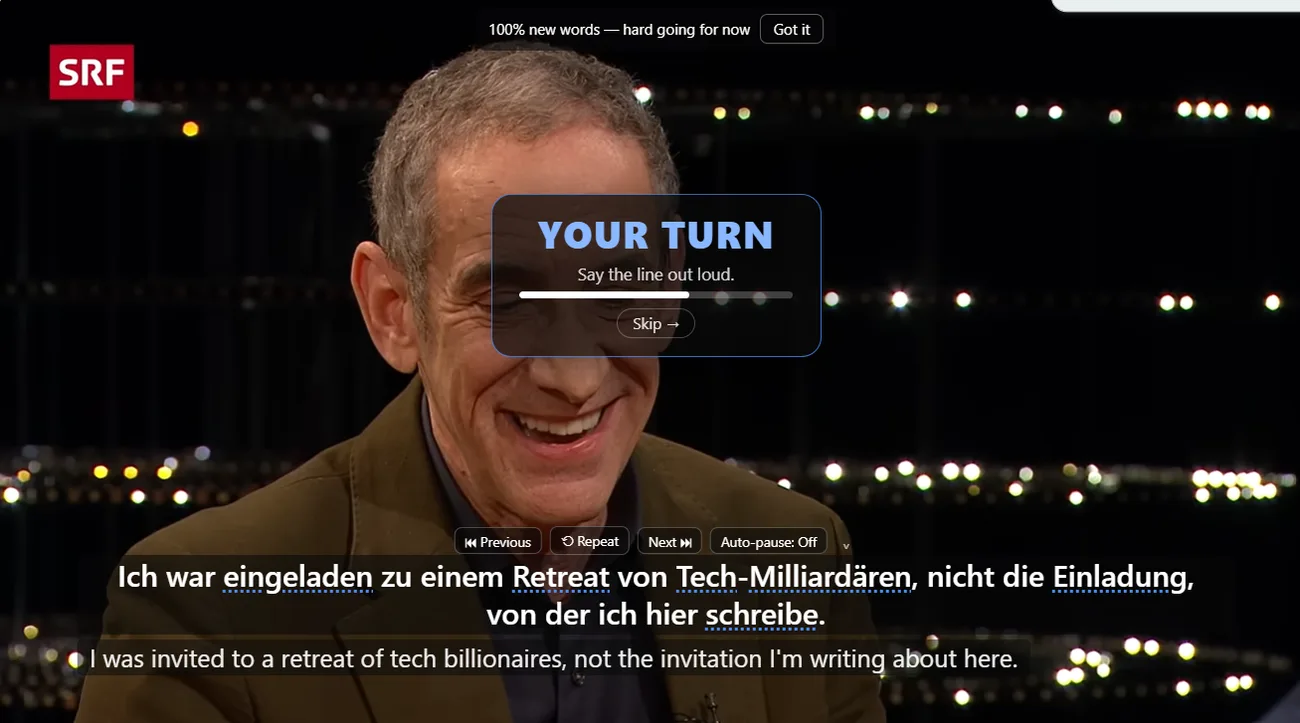
What shadowing is
Shadowing is repeating speech out loud close to the original speaker. The goal is not theatrical imitation. The goal is to connect rhythm, pronunciation and sentence structure to meaning.
Set up the video
Use a captioned YouTube video with speech you can mostly follow. Turn on NoaLingua dual subtitles if you need the translation. If the translation makes you lazy, use reveal-on-demand and show it only after you have tried.
The repeat routine
- Listen to one subtitle sentence without speaking.
- Replay it slowly if the sounds are unclear.
- Repeat it aloud during the pause.
- Listen again and notice one difference, not ten.
- Move on before the exercise becomes punishment.
NoaLingua supports whole-video shadowing with Ctrl+H and one-line shadowing with H. The point is to stop managing the pause button and keep attention on the sentence.
Use feedback carefully
Say It Back can show what Chrome speech recognition heard, plus missed words, when the speech pack exists. Treat it as a useful signal, not as a perfect pronunciation judge. The manual is explicit that NoaLingua stores scores and missed words, not your voice recording.
Practice with one real line
Pick a captioned video and shadow five sentences instead of trying to finish the whole thing.